For event organisers
List your event free on Brane. People nearby find it on the map and in search, talk to each other before they arrive, and keep the chat going after it ends.
Free. iPhone, Android and browser. No fee on your tickets.

✓ Free listings
✓ Found by people nearby
✓ A chat before and after
✓ Embeds on your event page
Discovery
Your event appears in Events Near You for anyone within 100km, as a pin on the Explore map, and in search for its topics.
Add your own ticket link. Brane adds a Buy Tickets button to your Crowd, and takes no fee.
Add to Calendar is one tap from the event, with your real start and end times.
Every event comes with a group chat from the moment you create it. People ask you questions, find each other and arrive already knowing someone.
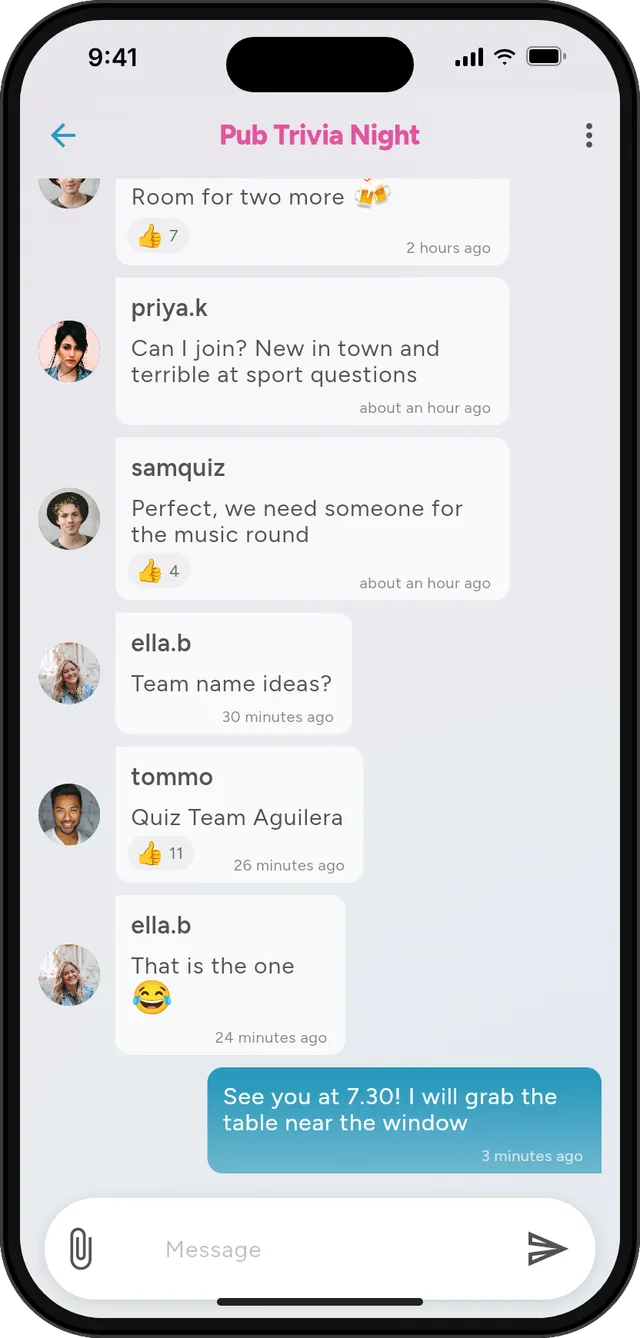
Before and after
Your event counts down to the start, then switches to Happening now.
Date badges show Now, Today, Tomorrow or the date at a glance.
Plans change? Update the times from the chat menu with Edit Event Times.
When it ends it leaves search, and the chat stays open, so your next event starts with a room.
On your event website
One script tag puts Brane on your website, two ways.
1
Ticket holders and curious visitors message you directly. A real person answers, and if they have left, your reply is emailed to them.
2
Your event's conversation on your event page, so people looking at tickets can talk to each other first. They join with an email code, no app needed.
<script src="https://embed.brane.chat/embed.js"
crowd="your-crowd-name"
defer></script>
Swap crowd for username="your-username" to take questions one to one instead.
Getting started
1
A picture, a name, a description and a pin at the venue.
2
Set the start and end times, and tag it with up to three topics.
3
Optional. Brane sends people wherever you already sell.
4
Your link at brane.im/c/your-crowd-name, your socials, and the chat on your event page.
Keep exploring
🧩
One line of script adds your event's chat, or a one to one chat with you, to any page. Free.
🏟️
Support chat, a community your customers can join, and events with their own chat.
👋
The people at your event are into the same things. Meet more of them near you.
Yes, and there is no fee on tickets, because people buy through your own link.
No. They can join in any browser at brane.chat, or through the chat on your event page.
It drops out of search and off the map, and the chat stays open so everyone who came can keep talking.
Yes, add a Join Code and only people you share it with can join. Keep it public if you want the chat on your website.
Free on iPhone, Android and the web.
