For cafes, bars and restaurants
Give your venue a Crowd: a group chat with a place on the map. Locals nearby find you, and your regulars keep talking between visits.
Free. iPhone, Android and browser. No ads.

✓ Free to run
✓ Found on the map
✓ Events with a live countdown
✓ Chat on your own website
Why venues use Brane
Your Crowd has a pin and topics like coffee, wine or live music, so people nearby who share them find it on the map and in search.
Between visits, your regulars talk to each other and to you, and every new message reaches them as a notification.
Edit your Crowd any time, delete any message, remove a member, or add a Join Code to make it members only.
Most venue group chats only grow when somebody remembers to share a link. A Crowd has a place and topics, so the right people find it on their own.
Events
Turn any night into an event and it shows up in Events Near You for people within 100km.
A live countdown, then Happening now when it starts.
Your own ticket link and one tap Add to Calendar.
The chat stays open afterwards, so the next night starts with a room.
Promoting events on Brane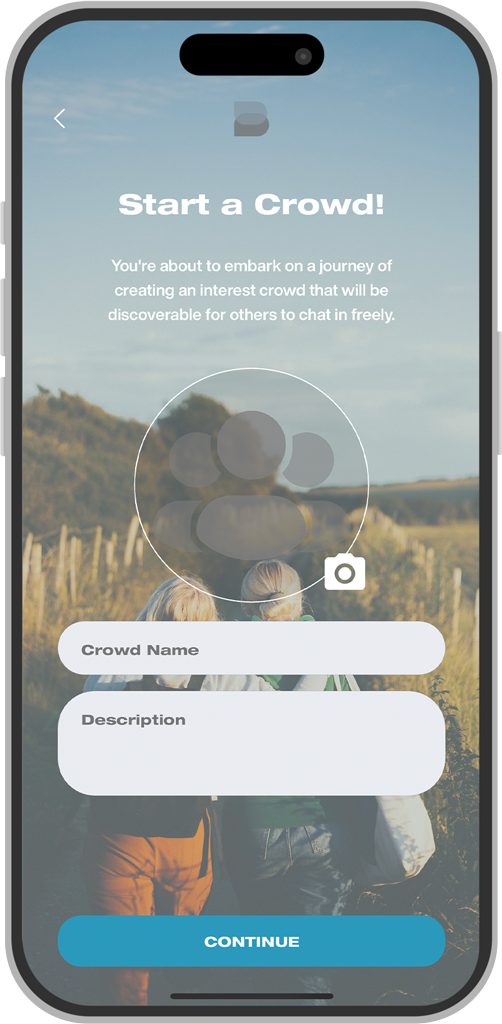
On your website
One script tag puts Brane on your website, two ways.
data-user
Visitors message your venue directly about bookings, menus or functions. A real person answers, and if they have left, your reply is emailed to them.
data-crowd
Your Crowd's conversation on your homepage. Visitors join in with an email code, no app needed.
<script src="https://embed.brane.chat/embed.js"
data-user="your-username"
defer></script>
Swap data-user for data-crowd="your-crowd-name" to put your Crowd on the page instead.
Getting started
1
Create your Crowd
A picture, a name, a description and a pin at your venue.
2
Tag it
Up to three topics, like coffee, craft beer or live music.
3
Share it
Your link at brane.im/c/your-crowd-name, a sign on the counter, or the chat on your website.
4
Start talking
Post tonight's specials, answer questions, and let your regulars do the rest.
Yes. No subscription, no member limit and no ads.
No. They can join in any browser at brane.chat, or through the chat on your website.
Interest search, the Explore map, Groups Near You on the Crowds tab, and your share link.
Yes, add a Join Code. Keep it public if you want it on your website, since Crowds with a Join Code cannot be embedded.
Yes. Add support chat to your website for bookings, menus and functions, and a Crowd for your regulars. Both land in the same inbox.
Read the business FAQFree on iPhone, Android and the web. No ads.
